The optimizer provides default projections and other attributes for players in the player pool. These values can be edited by the user to change or dictate the behavior of the optimizer. The list of editable player values are:
- Projection (Points)
- Randomness
- Max Exposure
- Ownership
- Salary
Refer to the steps below to understand how to edit any one of these editable values.
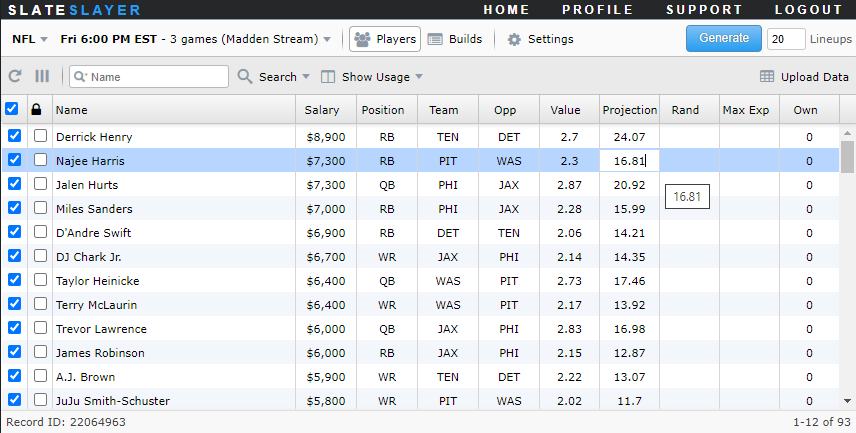
- Identify the player row, double click on the cell with the value to edit, and input the desired value.
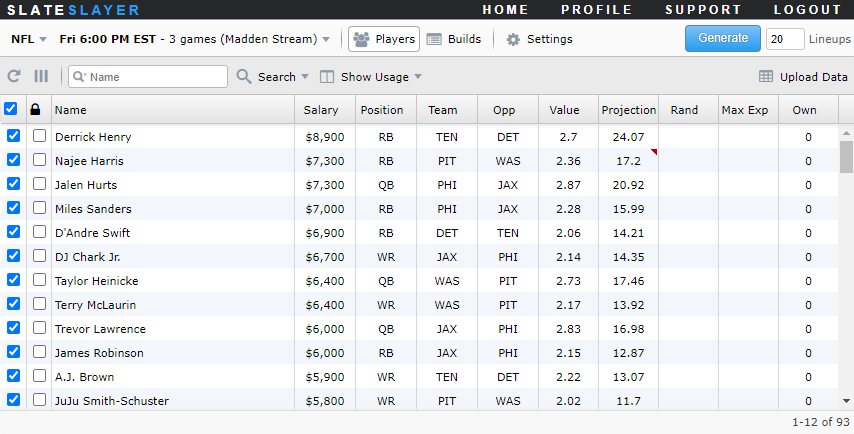
- A red mark will display in the cell with the edited value. The optimizer will use this custom value in subsequent builds.
- Click the Refresh button in the upper left corner if you would like to restore all player data with the original default values.

Note: Edited values are stored locally in the web browser and will persist through page refreshes. Edited values or any other optimizer inputs will not persist across multiple browsers.