The Odds screen groups player-prop markets so you can compare Over and Under prices across supported books. Use it to understand the range of available lines and shop prices for the market you want.
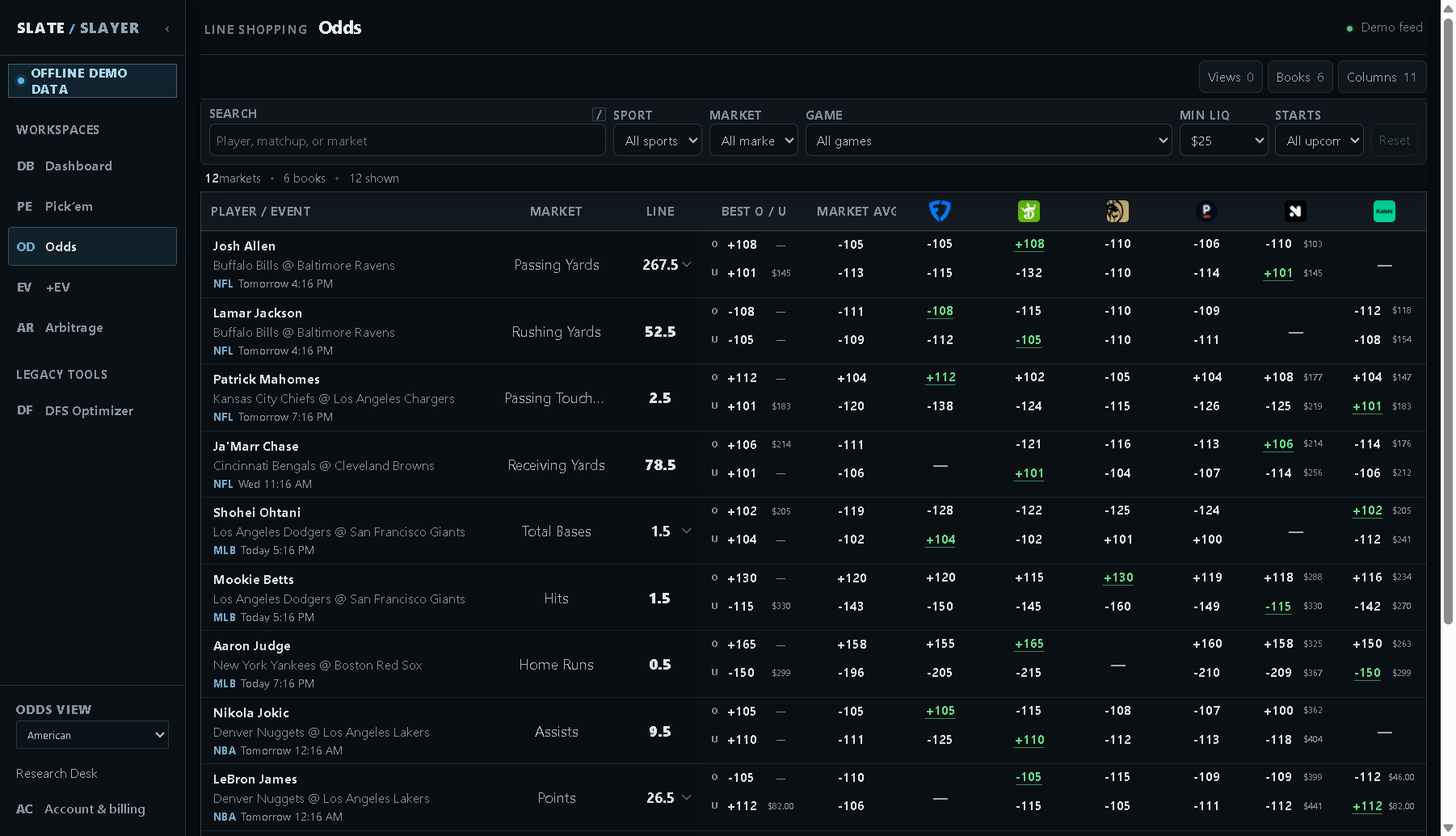
Illustrative demo data: the upper price in each pair is Over and the lower is Under.
Find the market
- Open Odds from the sidebar.
- Search for a player or matchup, then choose Sport, Market, and optionally Game.
- Use Starts to focus on 12h, 24h, 3d, or 7d, or keep All upcoming.
- Set Min LIQ if you want exchange and prediction-market offers to have a minimum reported size.
- Open Books to choose visible sportsbook columns. Use Columns and Views to customize or save the layout.
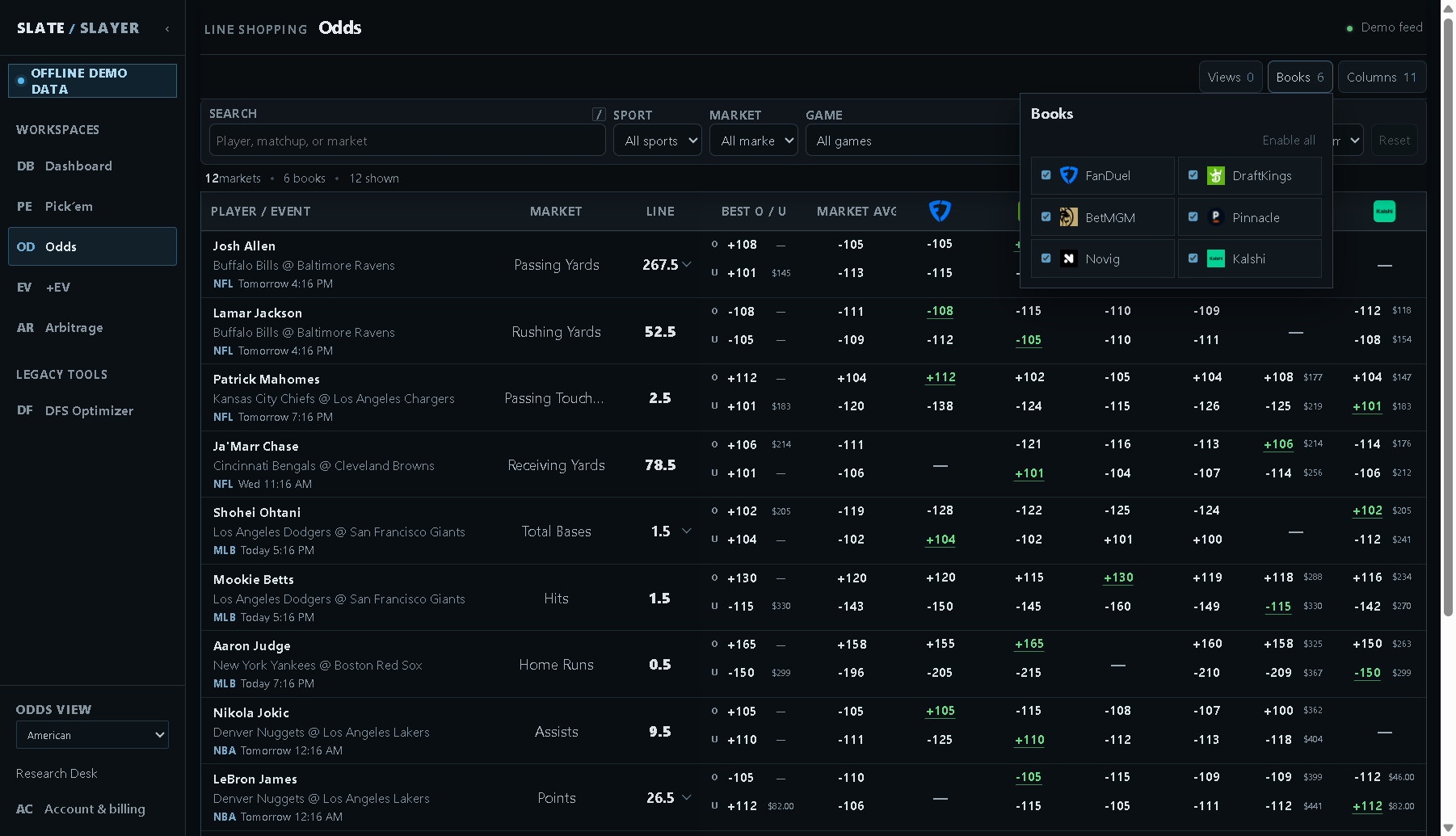
Illustrative demo data: Books selects which individual book columns are visible.
Compare both sides and alternate lines
Each price pair is ordered Over above Under. The line identifies the threshold for that market. If the line has a selector, open it to choose another offered threshold; compare prices at the same line rather than treating different thresholds as interchangeable.
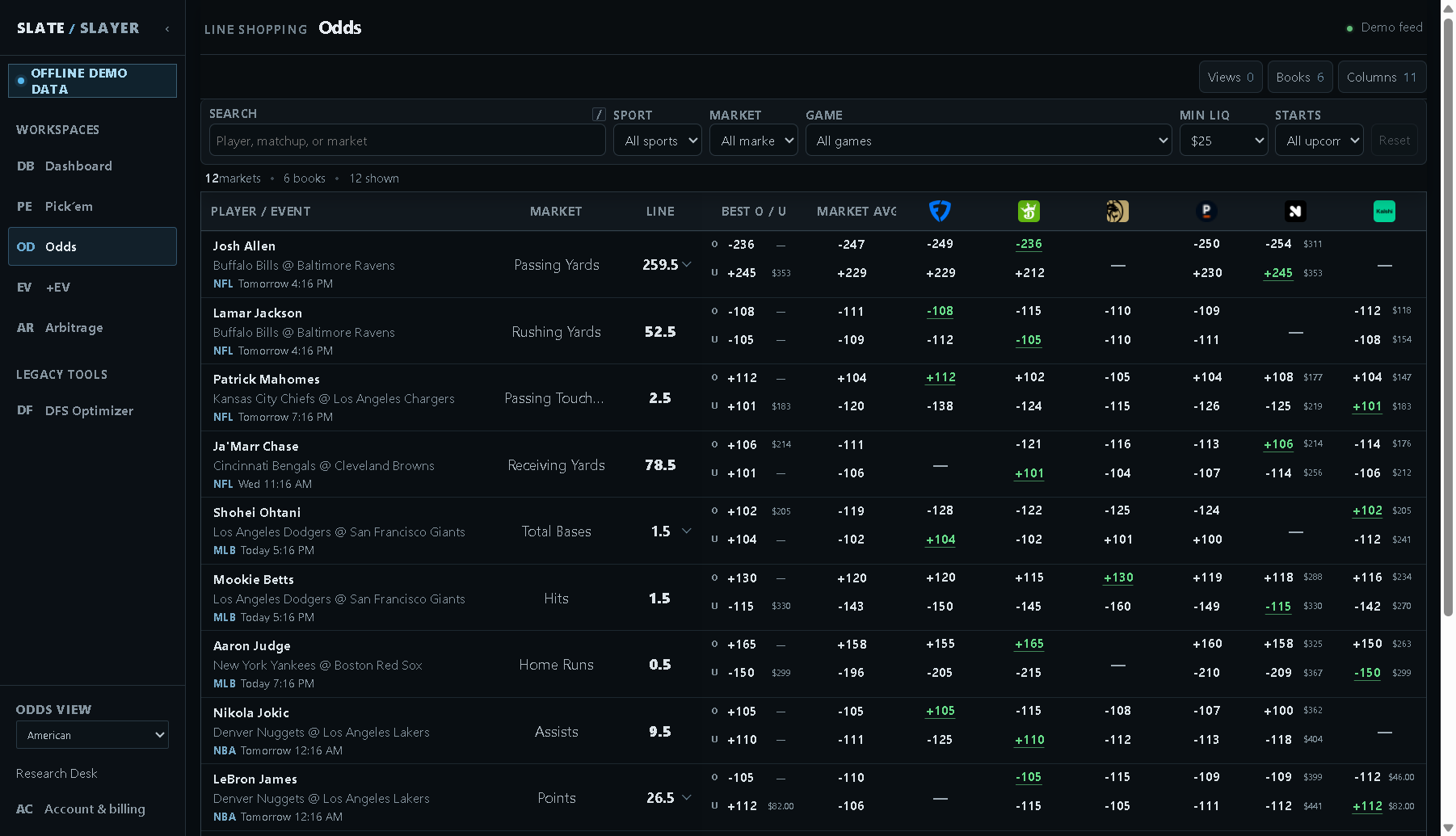
Illustrative demo data: changing Line switches the threshold being compared.
| Column / cue | How to interpret it |
|---|---|
| Best O / U | Best eligible Over and Under prices returned for the full available market. |
| Market avg | Average implied probabilities of eligible prices, converted back to the chosen odds display. It is not a simple arithmetic average of American odds. |
| Book columns | That book’s Over and Under quote at the selected line. A dash means the usable quote is unavailable. |
| Highlighted individual price | A best eligible price among the book columns you currently display. |
| Small dollar amount | Reported available size at that quoted price, when the feed supplies it. |
Hiding a book does not remove it from Best O/U or Market avg. Those summaries use the full available market. This differs from changing Books in Pick’em and from choosing execution or consensus books on +EV.
Navigate a wide table
Scroll horizontally to see additional book columns; player/market/line context stays pinned where visible. Use Previous and Next below the table for more markets. Reset clears query filters; Columns → Default restores the default table setup. You can change Odds view between American and implied probability in the sidebar.