My Picks collects the legs you select on the Pick’em screen. It keeps a separate slip for each site and can open supported PrizePicks selections on the PrizePicks board.
Add and review picks
- Choose a provider in Pick’em site.
- Select the ticket icon in the far-right Slip column for each leg you want to keep. Select the same icon again to remove it.
- Open the My Picks button above the filters. The drawer shows the selected site, pick count, player, direction, line, market, Fair, Edge, and source count.
- Remove an individual leg with its × control, or use Clear slip to empty this site’s slip.
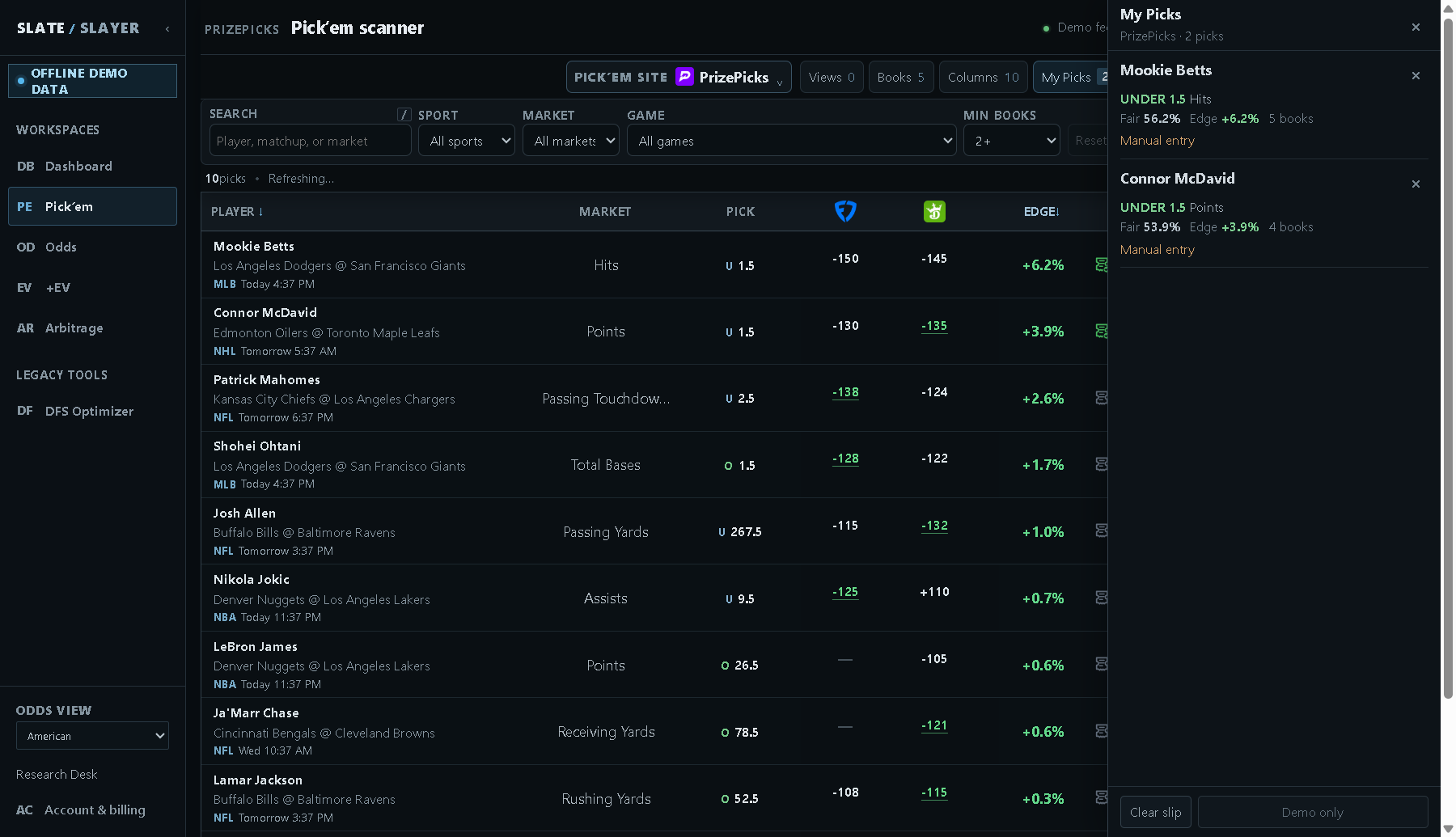
Illustrative demo data: review the legs and use individual remove controls or Clear slip.
Selecting a different direction or line for the same provider, player, event, and stat replaces the earlier selection. Switching sites shows that site’s separate slip. Picks are saved in this browser; they are not promised to sync to another device.
Open a PrizePicks slip
- Select PrizePicks as the site and review your drawer.
- Use the bottom open button. When all projection identifiers are available, it reads Open N picks and opens the corresponding selections on the PrizePicks board.
- At PrizePicks, verify that the player, line, direction, and availability still match. Choose the provider’s entry options and submit there if you decide to proceed. Opening the link does not place an entry.
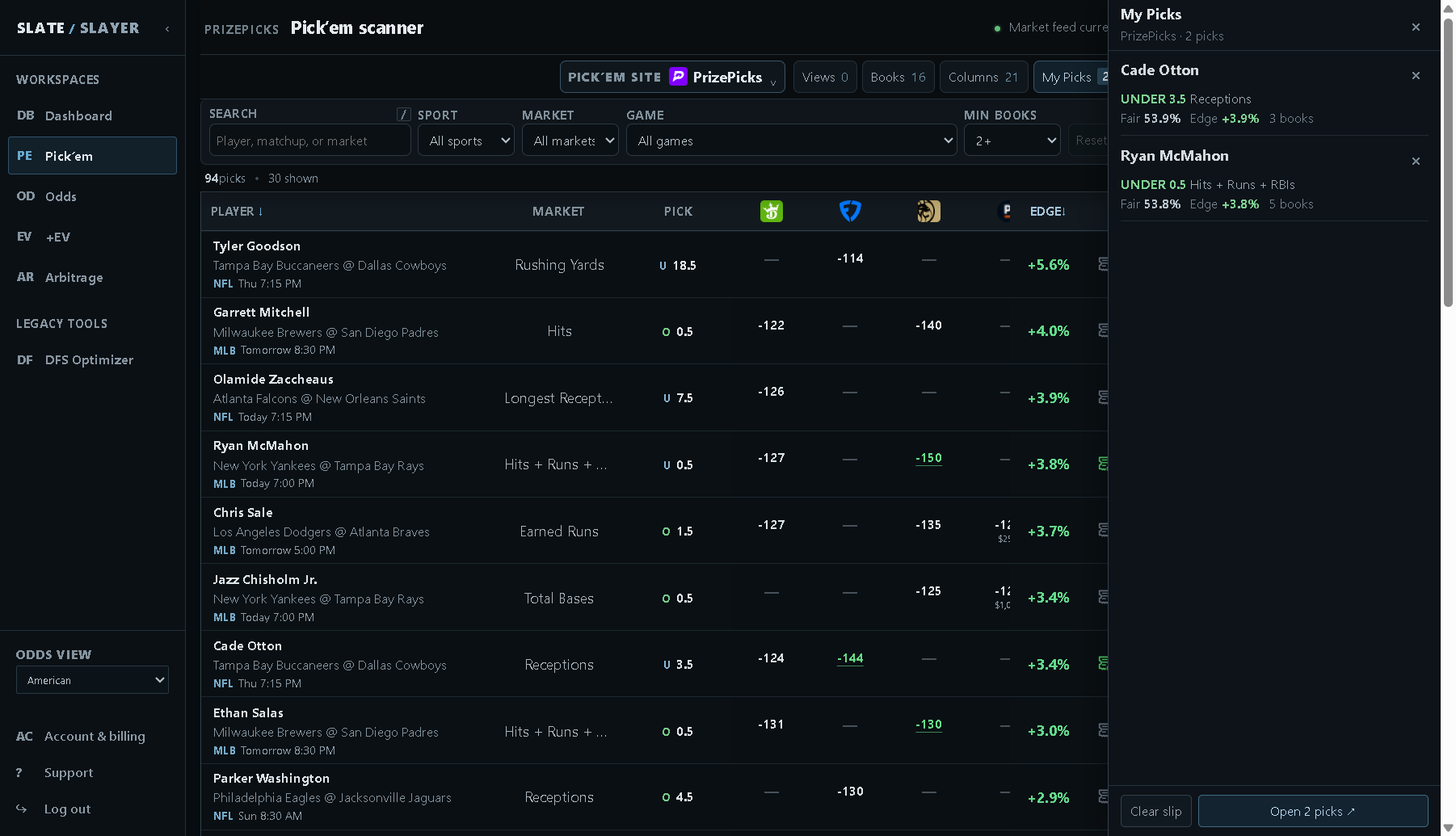
Live-market example captured in the dedicated test account: the open action sends supported selections to PrizePicks. Prices and availability can change.
Partial prefill and Manual entry
If a selected leg lacks a usable PrizePicks projection identifier, it is marked Manual entry. A button such as Open 2/3 means only two of the three legs can be prefilled. Add the omitted leg manually after checking its availability. If none can be prefilled, Open PrizePicks opens the provider without the selections.
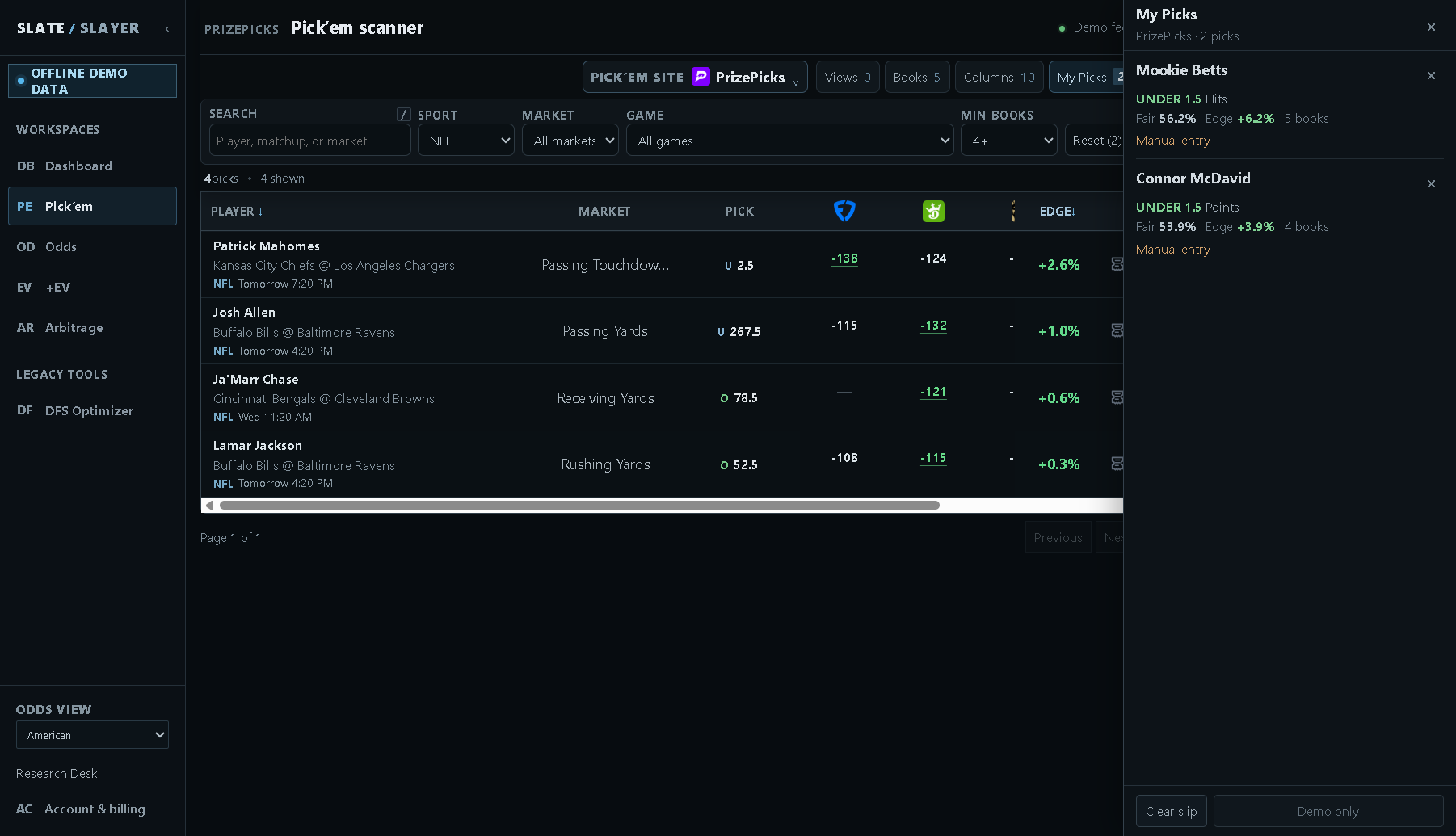
Illustrative example: Manual entry identifies a leg that cannot be included in the prefilled launch.
Other providers and changed markets
Other sites can offer individual selection links or an Open [site] button. Do not assume they support the same multi-leg prefill as PrizePicks. A Started notice means the scheduled start has passed; verify whether that selection remains available. Saved selections reflect the information when added and are not a guarantee of the provider’s current price.