Pick’em Edge summarizes the market’s estimated probability advantage over a 50% baseline. Min books lets you require more qualifying sportsbook evidence before a selection appears.
Set a minimum source count
- Choose your Pick’em site and filters.
- Open Books and select the sportsbooks you want included in the comparison.
- Set Min books to 1+, 2+, 3+, or 4+. The initial setting is 2+.
- Review the remaining selections. Raising the threshold can remove rows with limited coverage; it does not create more sources or guarantee accuracy.
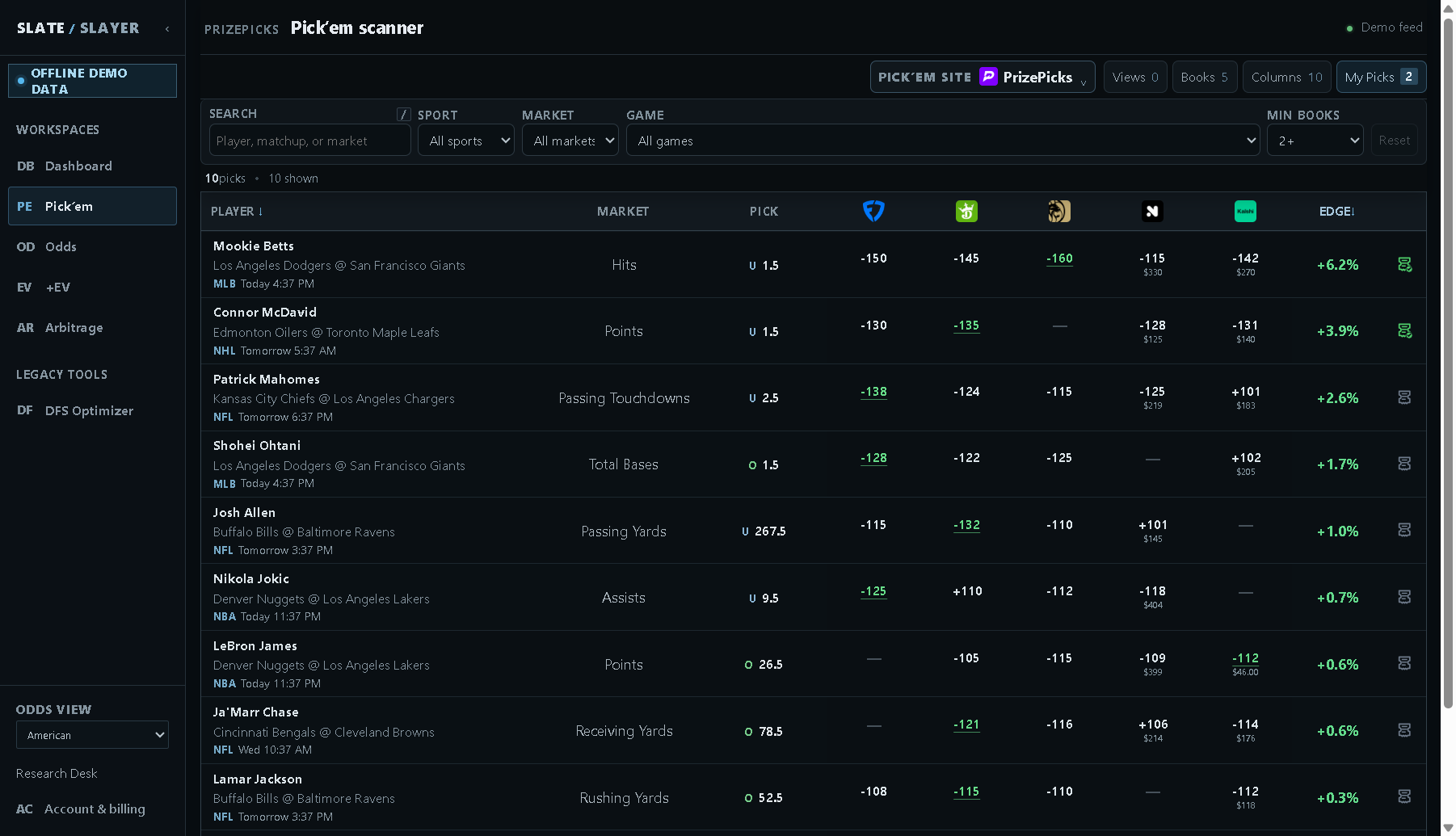
Illustrative demo data: 2+ requires at least two qualifying source books.
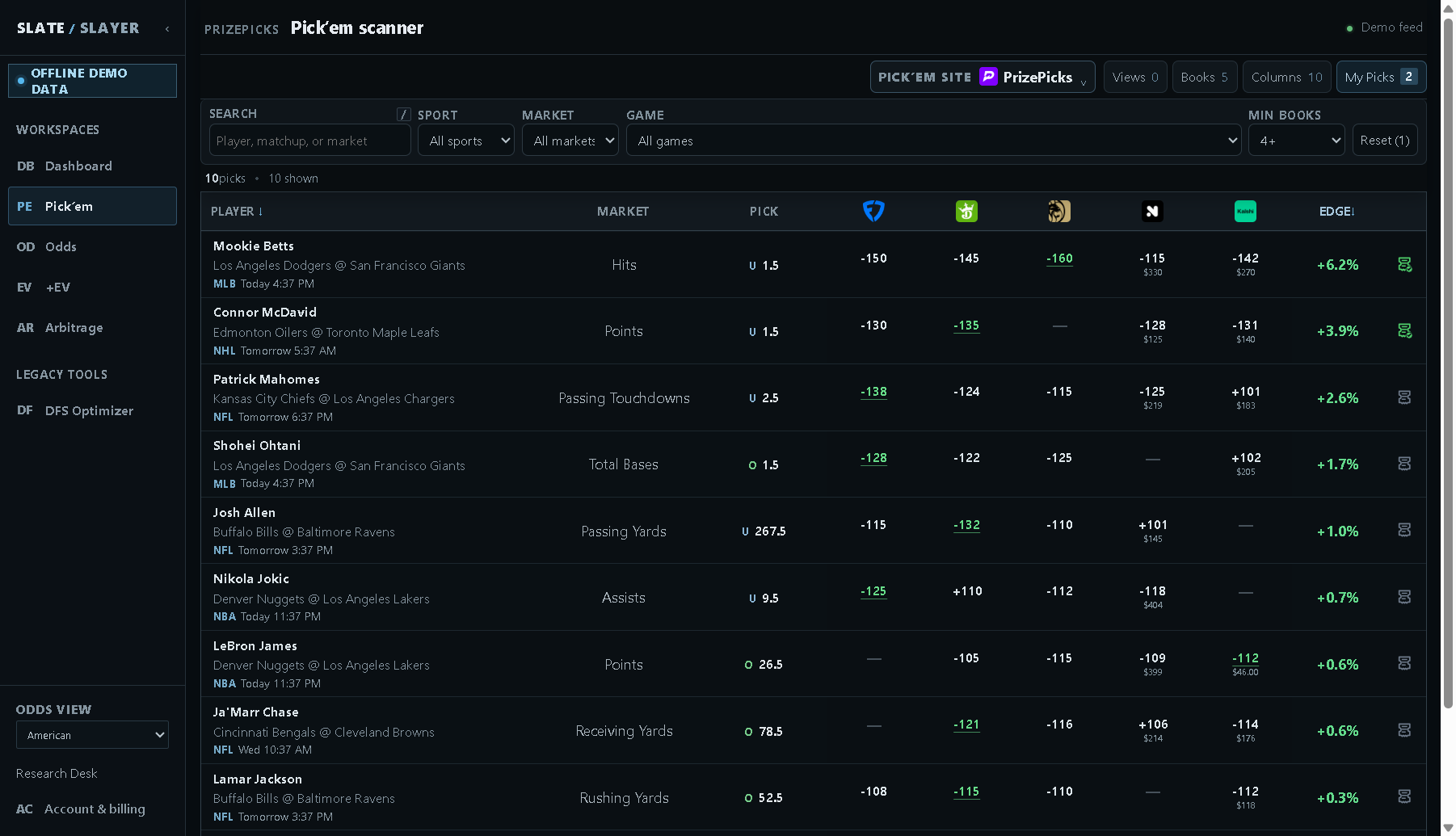
Illustrative demo data: increasing the threshold can reduce the available rows.
What counts as a book?
The source must match the player, event, market, and exact line, with usable two-sided prices and current qualifying evidence. A quote at 24.5 is not an exact-line contributor to a 25.5 selection. A visible book column with a missing or ineligible price may not contribute to the estimate.
Selected Books matter: removing a book can change both the estimated fair probability and the number of qualifying sources. Pick’em applies its own source eligibility rules; it does not expose the adjustable Min LIQ control used on the sportsbook screens.
Read Fair and Edge
My Picks shows Fair, Edge, and the qualifying book count for each saved leg. If Fair is 56.2%, the displayed Edge is +6.2%: 56.2% minus 50%. This is a difference of 6.2 percentage points.
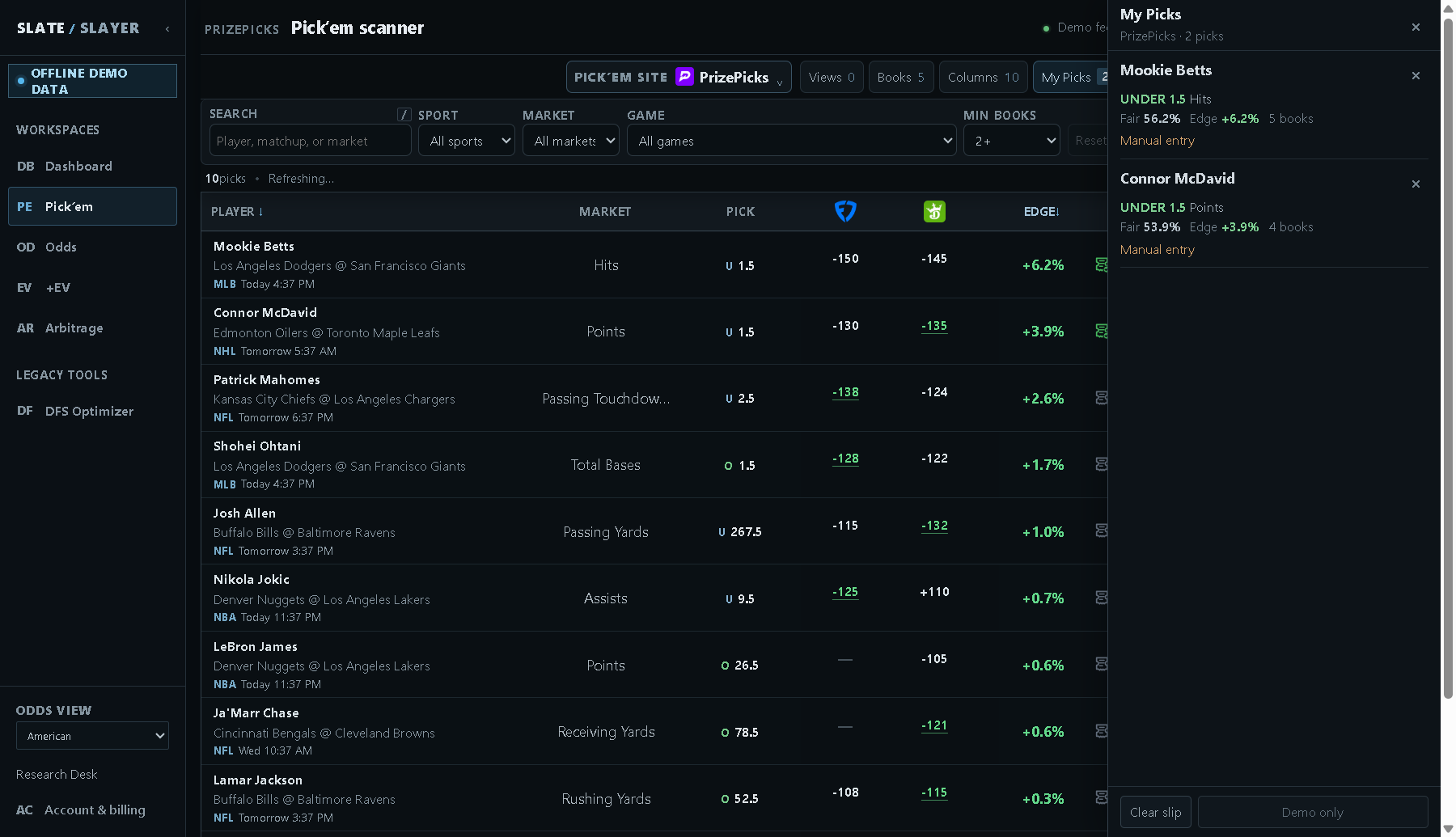
Illustrative demo data: Fair, Edge, and book count describe the selected leg.
Use the estimate in context
A larger source count gives you broader evidence, but books can disagree or move together. Edge is an estimate for a leg. It does not include the payout schedule, entry type, or relationships among legs in a complete Pick’em slip. Verify the provider’s current line and rules before submitting an entry.